If you’ve ever created a digital product – whether it’s an online course, a mini-course, a template, or an ebook – you’ve probably asked yourself one crucial question: “How do I get clients without spending hours on Instagram or TikTok?” The online world often tells us that social media is the only way to sell. But here’s the truth: you don’t need to dance on TikTok or post daily stories just to get noticed. There’s a smarter way – selling digital products without social media – and it’s called evergreen traffic.
Why Social Media Doesn’t Work Long-Term
Platforms like Instagram and TikTok are built for scrolling, not for search. A post usually lasts 24–48 hours before it disappears into the feed. That means:
If you stop posting, you stop growing.
Your visibility depends on constant effort.
It feels like running on a hamster wheel.
For entrepreneurs, coaches, and therapists who want to build a freedom business – a business that works even when you don’t – that’s not sustainable.
Yes, social media can be amazing for community, storytelling, and connection. But as a consistent traffic source that keeps bringing you leads? It’s not reliable.
Evergreen Traffic: The Game-Changer
Evergreen means: create it once, and it works for you long-term.
Instead of short-lived posts, you build content that keeps working weeks, months, even years later. Platforms built for evergreen traffic are search-based:
YouTube: People actively search for tutorials, reviews, and solutions.
Pinterest: People look for templates, guides, and inspiration.
Blogs & Google: Search-optimized articles can rank for years.
The big difference:
Social media lives in the moment.
Search platforms live on lasting value.
That’s why a single YouTube video or blog post can bring clients years later – while an Instagram post is gone tomorrow.
Which Evergreen Platform Is Best for You?
Not every platform fits every entrepreneur. The key is to choose one and master it.
Do you love explaining and teaching? → Start with YouTube.
Are you visual and creative? → Use Pinterest.
Do you enjoy writing? → Build a blog optimized for Google.
Don’t try to do everything at once. One consistent platform beats scattered efforts every time.
My Story: How I Built Evergreen Traffic
When I started, I didn’t want to depend on daily posts. Instead, I focused on search-based content:
YouTube videos with tutorials.
Blog posts optimized for keywords.
Pinterest pins leading back to my offers.
And guess what? Leads started coming in automatically. Even when I wasn’t online. That’s the power of evergreen marketing.
The One-Video-a-Week Strategy
Today my system is simple – and you can copy it too:
I publish one in-depth YouTube video per week.
I repurpose that video as a blog post.
I optimize both for search engines.
Each piece of content solves a specific problem for my audience. At the end, I give a clear call-to-action – usually to download a freebie, join my email list, or check out one of my products.
Because the content is evergreen, it works for me long-term. I still get discovered by people who watch my videos from years ago.
Why Evergreen Beats Social Media
Let’s compare:
Instagram Post: Lifespan 24–48 hours.
YouTube Video: Can bring views for years.
Pinterest Pin: Gets saved and re-shared endlessly.
Google Blog Post: Can rank on page 1 for months or years.
If your goal is to sell digital products without social media, evergreen is the only way to build predictable, automated traffic.
How to Start Today
If you want to start right now:
Choose your evergreen platform (YouTube, Pinterest, Blog).
Pick a problem your audience is already searching for.
Create one high-value piece of content that solves it.
Optimize it with the right keywords.
Add a call-to-action that leads to your product or email list.
Build Your Freedom Business with The Mini-Course Method
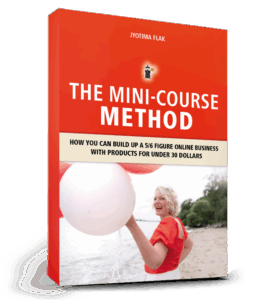
If you want to learn the complete system for selling digital products and creating automated income streams, my book The Mini-Course Method is the ultimate guide.
Inside, you’ll discover:
How to structure your mini-courses for maximum impact
How to create evergreen content that keeps bringing clients
Step-by-step funnel strategies to turn your digital products into 5- or 6-figure revenue streams
Stop posting daily. Start building a business that works while you sleep. Grab your copy here: The Mini-Course Method
If you’ve been dreaming about starting your online business but feel overwhelmed by the idea of creating a big course, you’re not alone. Many coaches, consultants, and entrepreneurs get stuck at the start because everything looks too complicated: tech, design, endless content.
The good news? You don’t need months or a big studio setup to launch your first product. A mini course is the perfect entry point – small, focused, and doable in just one weekend. In fact, with the right structure, you can create your very first mini course in only 3 hours.
In this article, I’ll walk you step by step through the exact process I use and teach in my Mini-Course Method. By the end, you’ll have:
A clear topic and promise
A simple outline (3–5 lessons)
Lightweight slides or a helper asset
Recorded lessons ready to share
A delivery system so you can sell your course
Let’s get started.
Why a Mini Course Is the Smartest Way to Start
Big online courses can feel overwhelming. They take months to produce and often never get finished. A mini course, on the other hand, is:
Fast to create – just 3–5 short lessons
Focused on results – one clear win for your audience
Easy to sell – low entry price, high value
Perfect for automation – can be sold 24/7 through a simple funnel
For beginners, it’s the fastest way to validate your idea and earn your first income online.
Step 1: Define Your Promise (30 minutes)
Every mini course starts with clarity. Answer this question:
“I help [who] get [result] in [timeframe] without [big obstacle].”
Examples:
“I help exhausted moms regain their energy in 7 days without restrictive diets.”
“I help new coaches book their first 3 clients this month without paid ads.”
“I help beginners meditate daily in 7 days without complicated techniques.”
Keep your promise short, clear, and specific.
Step 2: Name and Outline Your Course (30 minutes)
Pick a name that says exactly what it does. Examples:
7-Day Energy Reset
First 3 Clients
Meditation Quickstart
Then outline your course into 3–5 lessons:
Start Here (goal + roadmap)
Step 1
Step 2
Step 3
Quick Wins & Next Steps
Each lesson should be 5–10 minutes max.
Step 3: Create One Helper Asset (30 minutes)
Open Canva and make one simple worksheet, checklist, or tracker. Examples:
Daily habit tracker
Roadmap or one-page overview
Email template or journal prompts
This makes your mini course feel more valuable and helps your students get results faster.
Step 4: Record Your Lessons (60 minutes)
No fancy studio needed. Here’s what works:
Use your phone or laptop
Sit near a window for natural light
Put your phone on airplane mode
Record each lesson as a separate video
Smile, speak to one person, and keep it natural. Mistakes are okay – authenticity sells.
Step 5: Package and Deliver (30 minutes)
You now have everything you need. Here are 3 simple delivery options:
Private folder: Upload to Google Drive or Dropbox and share a private link.
Unlisted YouTube + page: Upload your lessons as unlisted videos and put them on a private page with your worksheet.
Simple storefront: Use a basic checkout tool so buyers get automatic access after purchase.
Start with a beginner-friendly price: $9–$49.
Example: Meditation Quickstart
Promise: “Learn to meditate daily in 7 days—no apps, no complicated techniques.”
Lessons:
Start Here: Set your 7-day plan
5-minute breath method
What to do when your mind races
Create your mini routine
Staying consistent after 7 days
Helper Asset: A one-page 7-day tracker
Price: $19 for first buyers
Your 3-Hour Sprint Checklist
✔ 30 min: Define your promise + course name ✔ 30 min: Outline 3–5 lessons ✔ 30 min: Create one worksheet ✔ 60 min: Record your lessons ✔ 30 min: Package, price, and deliver
Done. Your first digital product is ready.
Next Steps
You just created your first mini course in 3 hours. Imagine what’s possible if you put this into a system that works for you every day – reaching clients, making sales, and giving you more freedom.
If you want the full roadmap, check out my book The Mini-Course Method – where I teach you how to scale with automation and create a real freedom business.
Do you ever feel stuck in the time-for-money trap? Working one-on-one with clients, filling your calendar with calls, and realizing that if you stop working… your income stops too?
That’s exactly why more and more coaches, therapists, and entrepreneurs are turning to automated online businesses. With the right setup, you can serve more people, earn passive income, and finally create the freedom lifestyle you’ve been dreaming of.
But here’s the problem: the online space is full of noise. Endless tools, strategies, and “must-do” hacks that only leave you feeling more overwhelmed.
So let’s cut through the clutter. After more than 13 years in the digital space and building a €217,000+ business with courses under €50, I can tell you this: You only need five simple elements to build an automated online business that works.
Let’s dive in.
Step 1: A Topic That Works Online
Your entire business stands on one thing: your topic.
If your topic is too vague or confusing, nobody will buy from you. Online, people scroll fast — they need to understand in seconds how you help them.
Ask yourself:
Who exactly do I serve?
What problem do I solve?
Can I describe the transformation in one clear sentence?
Example: Not: “I teach self-care for moms.” (too broad) Better: “I help exhausted moms regain their energy in 30 days.” (specific, solution-oriented)
Clarity is currency online. The clearer your topic, the faster people say “Yes, that’s me!”
Step 2: A Digital Product That Gets Results
Automation only works if your product delivers results without you being present.
That’s why small, focused products are powerful. Instead of a giant 12-module signature program, think about:
Mini-courses you can record in a weekend
Self-coaching programs with worksheets
Audio courses people can complete on the go
People don’t want endless content — they want quick wins.
Example:
“Set up your first budget in one weekend.”
“7-day reset for more energy.”
A small product with a fast transformation builds trust and makes your clients excited to buy from you again.
Step 3: A Sales Page + Instant Checkout
Now let’s talk about selling. You don’t need a web design agency or a massive funnel. What you need is a simple sales page that:
Explains who your offer is for
Describes what changes for them
Gives them a clear “buy now” button
That’s it.
Tools like Systeme.io, StanStore, or SamCart make it easy. With them, your business can sell 24/7 while you sleep. Imagine waking up to the email notification: “You’ve made a sale.” That’s real automation.
Step 4: An Email Funnel That Builds Trust
Here’s the secret most people underestimate: email.
Even today, email is where true connection happens. After someone grabs your freebie or buys your first mini-course, an email funnel keeps the relationship alive.
The beauty? You don’t need to write new emails every week. Set up a short automated sequence with tools like MailerLite, Brevo, or ConvertKit — and every new subscriber feels like you’re speaking directly to them.
While you’re traveling, walking in nature, or roller skating with your kids, your email funnel keeps building trust for you.
Step 5: A System That Sends People to Your Offer
Finally — the engine of your business: traffic.
You need a system that constantly brings new people into your world. This could be:
An evergreen funnel running in the background
A short pre-recorded training people can watch anytime
A simple lead magnet with automated follow-up
This is how you escape the exhausting cycle of “launch → burnout → recover → launch again.”
Instead of panicking every few months, you’ll have a steady stream of new people discovering you — and buying from you — all year long.
The Bottom Line
Building an automated online business doesn’t require crazy tech skills, big budgets, or 12-hour workdays.
It comes down to five things:
A clear topic
A small product that gets results
A simple sales page
An automated email funnel
A system to bring in new leads
That’s it.
If you’re ready to start, my book The Mini-Course Method walks you step by step through creating a stress-free, scalable business using mini-courses and simple automation. www.jyotima.com/mcm
Small courses build trust fast and attract premium clients — without months of work. The Mini-Course Method is a repeatable, strategic approach to creating low-ticket mini courses that convert, nurture, and scale. In this long-form article, you’ll learn why mini courses, digital products, and low-ticket offers work, see real-life examples, and get an actionable strategy to use mini courses as the gateway to higher-ticket offers.
Why the Mini-Course Method works
The Mini-Course Method focuses on fast creation, immediate value delivery, and strategic funneling. Mini courses (aka small courses, low-ticket offers, digital products) are quick to produce, easy for your audience to buy, and powerful at building trust. This is especially true for coaches, therapists, and creators who need to demonstrate results before clients invest in premium programs.
Quick wins beat perfect products
When you create a mini course, your audience gets immediate results. That quick win builds confidence in your teaching and in you as a creator. A mini course is less about being comprehensive and more about delivering a clear, transformational result in a short time.
The common mistake: going big too soon
Many new creators assume they must launch a large signature program to be taken seriously. The result: months in production, technical overwhelm, and no proof of concept. With the Mini-Course Method, you validate your idea quickly, learn what sells, and iterate — all while generating income and building your audience.
Real-life examples: mini courses that attracted premium clients
Here are short case studies showing the Mini-Course Method in action:
Stress Management Coach – Created a $29 mini course “Calm Down in 10 Minutes.” Dozens signed up, and several participants purchased one-to-one coaching.
Anxiety Therapist – Launched a short audio mini course with guided exercises. Low price, high trust — several students upgraded to a $2,000 coaching package.
My results – I sold 10,000+ mini courses under €50 and generated €217,000 in revenue, plus additional income from upsells inside my evergreen funnels.
Speed of creation: Mini courses can be built in days, not months.
Low barrier to entry: A $29–$37 price point reduces friction and increases volume.
Immediate results: Participants get an ‘aha’ moment — that creates advocates.
Trust & social proof: Small course buyers become testimonials and case studies for higher-ticket offers.
How to design a mini course
Follow this simple structure to design a converting mini course:
Step 1 – Choose a single outcome
Pick one specific result your audience wants (e.g., “Create a journal in 3 hours,” “Reduce evening anxiety in 10 minutes”). Your mini course should promise and deliver that one outcome.
Step 2 – Break it into 3–5 micro-lessons
Each lesson should be practical and action-oriented. Micro-lessons keep production time low and ensure students see progress fast.
Step 3 – Deliver formats that fit your audience
Video, audio, PDFs, or a combination. Therapists may prefer audio exercises; coaches often use short video lessons and worksheets.
Step 4 – Add one clear next step (upsell)
At the end of the mini course, present a clear next step: a premium course, a group program, or one-to-one coaching. The mini course is the entry point for client acquisition and higher-ticket sales.
Pro tip: Use an email sequence after purchase to nurture students for 7–14 days – deliver extra value, show transformations, then invite them to your offer.
Marketing the mini course
Mini courses work best inside a simple funnel:
Ad or organic post → Landing page with strong value proposition → Mini course checkout
Post-purchase email sequence → Upsell to a higher-value offer
Optional webinar or workshop to convert buyers into higher-ticket clients
Because mini courses are low-ticket, you can afford paid traffic tests and fast iteration. Track conversions and tweak messaging until you find a winning angle.
Here are topic ideas that work well as mini courses for coaches and therapists:
“Create your first journal in 3 hours” (KDP / low content)
“5-minute anxiety relief audio exercises”
“Quick client intake template + first session plan”
“From idea to first sale: Your 7-step mini product checklist”
Measuring success
Core metrics to track:
Conversion rate on the mini-course landing page
Average order value (AOV)
Upsell conversion rate to premium offers
Return on ad spend (ROAS) for paid campaigns
Small wins compound: a reliable mini course with a consistent upsell will steadily grow revenue and client acquisition.
Common objections & how to answer them
“Will a mini course make me look cheap?” – No. With professional branding and clear outcomes, mini courses position you as practical and results-driven. The Mini-Course Method demonstrates proof of concept.
“Will people buy low-ticket and never upgrade?” – Some will, but many buyers value the low-risk entry and then upgrade when they see real results. A focused upsell strategy increases upgrades.
FAQ: Mini-Course Method
Q: What is the Mini-Course Method? A: A strategy to create low-ticket, high-value mini courses that attract clients, build trust, and feed higher-ticket offers.
Q: Do mini courses really attract premium clients? A: Yes. Small courses serve as a gateway: clients experience value first, then invest in premium programs.
Q: How much should a mini course cost? A: Typically $29–$37 works best for low-barrier entry, but you can adjust based on niche and audience.
Conclusion: Start small, scale strategically
If you’ve been waiting to build the perfect flagship course, stop waiting. The Mini-Course Method gets you visible fast, builds trust with real results, and becomes a reliable source of premium clients. Mini courses are the beginning of a strategic ladder toward higher-ticket offerings.
Ready to build your mini course and attract premium clients?
Get the exact blueprint I used to scale my business: The Mini-Course Method. Step-by-step instructions, templates, and the funnel strategy to create mini courses that sell and convert into high-ticket clients.
Do you dream of creating your own digital product but don’t know where to start? Maybe you’ve seen people sell eBooks, workbooks, or templates online and thought: I wish I could do that too.
The truth is: You absolutely can. And the best part? You don’t need expensive software, complicated tools, or even design skills. With Canva – even the free version – you can create your first eBook or workbook in just a few hours. Once it’s ready, you can start selling it online and build your first stream of passive income.
This blog & video will walk you step by step through the process: from choosing your topic to designing your eBook, exporting it, and finally selling it online.
Step 1: Choose Your Topic
Before you open Canva, it’s important to be clear about your topic. Ask yourself:
What do I know that others would love to learn?
What problems can I solve quickly and simply?
What would make someone’s life easier?
Some easy eBook ideas for beginners include:
A checklist or step-by-step guide
A short “how-to” manual
A motivational journal or workbook
A niche-specific resource (for example: fitness, mindset, business planning, or productivity)
Pro tip: Don’t overcomplicate it. Your first digital product doesn’t have to be perfect. Write down 3–5 possible topics and choose one that feels both simple and exciting to you.
Step 2: Create Your eBook in Canva
Now head to Canva.com. In the search bar, type “eBook” or “Workbook”. You’ll see dozens of templates to choose from. Even with the free plan, you can find plenty of professional designs.
Here’s how to make it yours:
Change the cover page: Upload your own image or choose one from Canva’s free library.
Adjust colors and fonts: Match your brand or simply pick colors that look clean and inviting.
Duplicate pages: Use the same style across multiple chapters or tips.
Add your content: Structure it into sections, for example “5 Tips to…” or “3 Steps to…”.
Keep it short! 8–12 pages is more than enough for your first product. Your goal is to deliver a quick win for your reader — not overwhelm them.
Optional: Add your website or Instagram handle in the footer of each page. This builds your brand and helps readers find you again later.
Step 3: Export Your eBook
Once you’re happy with the design:
Click Share → Download
Choose PDF Standard (great for online use) or PDF Print (if you want higher quality)
Save it to your computer
That’s it — you now officially have your first digital product!
Step 4: Sell Your eBook Online
Now comes the exciting part — making it available for purchase. There are many platforms where you can sell digital products without needing a complicated website:
Have you ever felt overwhelmed by the idea of selling your digital products online? Maybe you thought it would feel pushy or technically complicated. I completely understand – I’ve been there myself. When I started, I had zero tech skills, no big audience, and just 25 hours a week while homeschooling my daughter. And yet, I built a six-figure online business with a simple, heart-led strategy called the digital product ladder.
In this blog, I’ll walk you through everything: how to transform one core idea into a full suite of digital products that your audience will naturally want to buy, step by step, without feeling salesy, and how to automate the process so your business grows even when you’re busy living your life.
What is a Digital Product Ladder?
A digital product ladder is essentially a journey for your customer. Instead of expecting them to buy a high-ticket course immediately, you offer small, digestible products that create trust, provide real value, and naturally lead them to the next step.
Think of it like guiding a friend from curiosity to transformation. Imagine a busy mom discovers your Instagram. She’s stressed, overwhelmed, and unsure what she needs. She’s not ready for high-ticket coaching yet. But maybe a short guided audio or printable checklist helps her calm down and feel understood. This is the first rung of your ladder. As she experiences value, she’ll want more: a mini-product, a full course, and eventually premium coaching. That’s the magic of a well-planned digital product ladder.
Why a Product Ladder Works
The beauty of a digital product ladder is that it meets people where they are and gives them exactly what they need at the right time. Instead of pushing a large program onto someone who isn’t ready, you provide a series of smaller, highly useful products. Each step solves a problem, builds trust, and prepares the customer for the next offer.
This approach doesn’t just sell products – it builds relationships. Your audience learns to trust you, sees your expertise, and starts to naturally move up the ladder without feeling pressured. It’s a strategy that feels aligned, authentic, and supportive.
One Core Idea → Multiple Digital Products
Many creators think they need dozens of ideas to start an online business. But here’s the truth: you only need one big transformation and a clear vision of your audience’s journey. From that one idea, you can design multiple products at different price points.
For example, let’s say your topic is: “Helping overwhelmed moms find calm and presence in daily life.” You can break this transformation into a series of steps:
Step 1 – Freebie: “3-Minute Reset” – A short guided audio that helps busy moms calm down in stressful moments.
Step 2 – Mini Product (€17–27): “Moments of Peace” – A printable deck of mindful rituals, affirmations, and journaling prompts for everyday calm.
Step 3 – Core Course (€197–497): “The Mindful Mama Journey” – A 4-week self-paced program that teaches moms to integrate mindfulness into their routines.
Step 4 – Premium Offer (€997+): Group coaching or 1:1 mentoring to support habit integration, emotional balance, and nervous system regulation.
Notice how each step solves a specific problem while naturally preparing the client for the next. Your audience doesn’t feel sold to – they feel guided and supported, which creates loyal, long-term customers.
Pricing and Positioning Your Ladder
Pricing in a digital product ladder reflects the value of the transformation and the depth of support offered:
Quick relief solutions (audio, checklist, workbook) = low-priced, easy to say “yes” to
Self-paced courses = mid-ticket, for deeper learning
Personalized coaching or mentorship = premium, for full transformation
For example, you can say: “This toolkit gives you immediate wins for your everyday calm. If you want to go deeper, my full course guides you through a complete transformation.” This invites people, rather than pressures them – which is exactly how a product ladder should feel.
Step-by-Step: Building Your First Ladder
Here’s a simple 4-step method to build your first digital product ladder:
Identify a problem your audience faces: What’s frustrating, overwhelming, or challenging for them right now?
Create a small solution: Use Canva or any simple design tool to build your mini product. It doesn’t need to be perfect, just helpful.
Set up a sales platform: Platforms like Gumroad or Payhip handle payments and automatic delivery for you.
Promote and automate: Share links via Instagram, Pinterest, TikTok, or email. Offer a small incentive for early buyers. Set up email sequences that automatically guide your customers through your ladder.
Automating Your Product Ladder
Automation is what turns a digital product ladder from a one-time effort into a sustainable system. For instance:
Someone downloads your free audio
Three days later, they’re offered your mini product
After completing it, they’re invited to your full course
Finally, they receive a premium coaching offer
With tools like ConvertKit, Systeme.io, or MailerLite, you can automate this process completely. Your products are sold while you spend time with your family, create new content, or simply relax. Automation doesn’t replace human connection; it enhances it by giving your audience consistent, meaningful support.
My Personal Story
When I started, I lived in the jungle in Brazil – no stable internet, no budget for fancy tools, and a toddler to homeschool. I created my first digital workbook using Canva, uploaded it, and shared it in a single Instagram post. Within 24 hours, I had my first sale. That moment taught me that you don’t need to be a tech expert or have a huge following to sell digital products successfully.
Since then, I’ve helped hundreds of creators build their own digital product ladders. Many began with a single idea and ended up with a fully aligned, scalable product suite that consistently sells – without big launches or expensive tools. All it took was clarity, empathy, and a simple, step-by-step strategy.
Why You Should Start Your Own Digital Product Ladder
Here’s why creating a digital product ladder is a game-changer:
Start earning revenue immediately with small, approachable products
Build trust and authority with your audience before offering higher-ticket items
Create a customer journey that feels supportive and aligned, not pushy
Scale your business while automating most of the process
Next Steps
If you’re ready to start your own digital product ladder, here’s how to get going:
Sign up for my freebie launching next week: 10 Digital Product Ideas You Can Create in a Weekend – perfect for inspiration and your first step.
To provide the best experiences, we use technologies like cookies to store and/or access device information. Consenting to these technologies will allow us to process data such as browsing behaviour or unique IDs on this site. Not consenting or withdrawing consent, may adversely affect certain features and functions.
Functional
Always active
The technical storage or access is strictly necessary for the legitimate purpose of enabling the use of a specific service explicitly requested by the subscriber or user, or for the sole purpose of carrying out the transmission of a communication over an electronic communications network.
Preferences
The technical storage or access is necessary for the legitimate purpose of storing preferences that are not requested by the subscriber or user.
Statistics
The technical storage or access that is used exclusively for statistical purposes.The technical storage or access that is used exclusively for anonymous statistical purposes. Without a subpoena, voluntary compliance on the part of your Internet Service Provider, or additional records from a third party, information stored or retrieved for this purpose alone cannot usually be used to identify you.
Marketing
The technical storage or access is required to create user profiles to send advertising, or to track the user on a website or across several websites for similar marketing purposes.