They spend weeks recording videos, designing slides, writing ebooks, perfecting sales pages — and only after everything is finished do they attempt to launch.
And that is exactly why so many digital products fail.
If you want to build a profitable online business, you need to reverse that process. You need to learn how to sell products before they’re finished.
This is called pre-selling. And it is one of the smartest strategies for digital creators, coaches, and online entrepreneurs who want to validate their ideas, reduce risk, and generate revenue faster.
Let’s break down why this works — and how you can use it.
Why Selling Before Creating Works
People do not buy “finished products.”
They buy solutions.
If someone believes your course, ebook, or mini-program will solve a painful or urgent problem, they do not care whether every module is already recorded. What they care about is the result.
When you pre-sell, you are not selling an incomplete product. You are selling access to a transformation.
This shift is powerful because it removes pressure. Instead of spending months building something that may or may not sell, you validate demand first. If people buy, you have proof your idea works. If they do not, you adjust before investing more time.
Pre-selling protects your time, your energy, and your creativity.
It also gives you immediate cash flow, which can fund the creation process itself.
The Biggest Mistake Digital Creators Make
The biggest mistake in digital product marketing is waiting for perfection.
Many creators believe they need:
a fully recorded course
professional branding
an advanced funnel
a polished website
before they can start selling.
But waiting often leads to procrastination disguised as preparation.
Meanwhile, someone else with a simpler idea, a clear promise, and a basic landing page starts selling immediately — and learns faster.
Perfection does not create momentum. Sales do.
When you sell before creating, you force clarity. You must define:
who the product is for
what specific problem it solves
what outcome buyers will achieve
That clarity alone increases conversions.
How to Pre-Sell a Digital Product Step by Step
If you want to sell products before they’re finished, the process is simpler than most people think.
First, define the transformation. What is the exact result your product delivers? Not a vague improvement, but a concrete outcome. For example, instead of “reduce stress,” you might promise “create a 30-minute daily stress reset routine.”
Second, create a simple sales page. This does not need to be complicated. A clean landing page explaining who the product is for, what problem it solves, what buyers will receive, and when delivery happens is enough.
Third, set up payment immediately. Stripe, PayPal, Digistore24, or any simple checkout tool works. The moment someone pays, you have validated demand.
Fourth, communicate timing clearly. Transparency builds trust. Tell buyers exactly when they will receive access. For example: “Module one will be available next week” or “Full course access in 14 days.”
Clarity and honesty are what make pre-selling ethical and effective.
Finally, build and deliver what you promised. Your first buyers are not just customers — they are early supporters. They often provide testimonials, feedback, and momentum for your next launch.
Why Pre-Selling Is the Smartest Way to Launch an Online Course
If you want to sell online courses or mini-courses, pre-selling is especially powerful.
Courses require time to create. Recording lessons, editing videos, structuring modules — it can take weeks or months.
By pre-selling your online course, you ensure that you are not building in isolation. Instead, you are building in response to real demand.
You may even discover that students ask better questions than you anticipated. Their feedback shapes your content, making it stronger and more relevant.
Pre-selling also creates urgency. When people know they are joining early, they feel part of something exclusive. Early-bird access, limited spots, or founding-member pricing increase conversions naturally.
This approach is particularly effective for:
mini-courses
digital workshops
beta programs
membership launches
ebooks
Instead of hoping your digital product will generate passive income one day, you start earning immediately.
Validation Is More Important Than Creation
The core principle behind selling before creating is validation.
Validation means proving that people are willing to pay for your solution.
Likes are not validation. Comments are not validation. Even email signups are not full validation.
Payment is validation.
When someone takes out their credit card, you know your idea solves a real problem.
That confidence changes how you show up in your marketing. You speak differently when you know your product is wanted.
Building a Mini Business From Day One
When you use a pre-sale strategy correctly, you are not just launching one product. You are building a system.
You create:
an idea
a landing page
a payment structure
a delivery system
That is already a mini business.
From there, you can expand into funnels, upsells, group programs, or higher-ticket offers.
Many successful digital entrepreneurs started exactly this way — selling before they built.
The Psychology Behind Pre-Selling
Pre-selling works because it leverages psychology.
When you explain what buyers will get and when they will receive it, you remove uncertainty. When you offer limited early access, you encourage faster decisions.
Most importantly, when you position your product as a solution rather than a finished package, you align with what customers truly care about: results.
Final Thoughts: Sell First, Build Smart
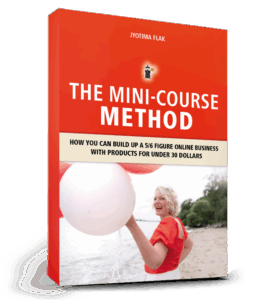
If you want to see my complete system for pre-selling ebooks and mini-courses step by step, go get my book The Mini-Course Method and start building your first course immediately.
Inside, I show you exactly how to validate your idea, create a simple launch plan, and start earning before your product is even finished.
If you’ve ever created a digital product – whether it’s an online course, a mini-course, a template, or an ebook – you’ve probably asked yourself one crucial question: “How do I get clients without spending hours on Instagram or TikTok?” The online world often tells us that social media is the only way to sell. But here’s the truth: you don’t need to dance on TikTok or post daily stories just to get noticed. There’s a smarter way – selling digital products without social media – and it’s called evergreen traffic.
Why Social Media Doesn’t Work Long-Term
Platforms like Instagram and TikTok are built for scrolling, not for search. A post usually lasts 24–48 hours before it disappears into the feed. That means:
If you stop posting, you stop growing.
Your visibility depends on constant effort.
It feels like running on a hamster wheel.
For entrepreneurs, coaches, and therapists who want to build a freedom business – a business that works even when you don’t – that’s not sustainable.
Yes, social media can be amazing for community, storytelling, and connection. But as a consistent traffic source that keeps bringing you leads? It’s not reliable.
Evergreen Traffic: The Game-Changer
Evergreen means: create it once, and it works for you long-term.
Instead of short-lived posts, you build content that keeps working weeks, months, even years later. Platforms built for evergreen traffic are search-based:
YouTube: People actively search for tutorials, reviews, and solutions.
Pinterest: People look for templates, guides, and inspiration.
Blogs & Google: Search-optimized articles can rank for years.
The big difference:
Social media lives in the moment.
Search platforms live on lasting value.
That’s why a single YouTube video or blog post can bring clients years later – while an Instagram post is gone tomorrow.
Which Evergreen Platform Is Best for You?
Not every platform fits every entrepreneur. The key is to choose one and master it.
Do you love explaining and teaching? → Start with YouTube.
Are you visual and creative? → Use Pinterest.
Do you enjoy writing? → Build a blog optimized for Google.
Don’t try to do everything at once. One consistent platform beats scattered efforts every time.
My Story: How I Built Evergreen Traffic
When I started, I didn’t want to depend on daily posts. Instead, I focused on search-based content:
YouTube videos with tutorials.
Blog posts optimized for keywords.
Pinterest pins leading back to my offers.
And guess what? Leads started coming in automatically. Even when I wasn’t online. That’s the power of evergreen marketing.
The One-Video-a-Week Strategy
Today my system is simple – and you can copy it too:
I publish one in-depth YouTube video per week.
I repurpose that video as a blog post.
I optimize both for search engines.
Each piece of content solves a specific problem for my audience. At the end, I give a clear call-to-action – usually to download a freebie, join my email list, or check out one of my products.
Because the content is evergreen, it works for me long-term. I still get discovered by people who watch my videos from years ago.
Why Evergreen Beats Social Media
Let’s compare:
Instagram Post: Lifespan 24–48 hours.
YouTube Video: Can bring views for years.
Pinterest Pin: Gets saved and re-shared endlessly.
Google Blog Post: Can rank on page 1 for months or years.
If your goal is to sell digital products without social media, evergreen is the only way to build predictable, automated traffic.
How to Start Today
If you want to start right now:
Choose your evergreen platform (YouTube, Pinterest, Blog).
Pick a problem your audience is already searching for.
Create one high-value piece of content that solves it.
Optimize it with the right keywords.
Add a call-to-action that leads to your product or email list.
Build Your Freedom Business with The Mini-Course Method
If you want to learn the complete system for selling digital products and creating automated income streams, my book The Mini-Course Method is the ultimate guide.
Inside, you’ll discover:
How to structure your mini-courses for maximum impact
How to create evergreen content that keeps bringing clients
Step-by-step funnel strategies to turn your digital products into 5- or 6-figure revenue streams
Stop posting daily. Start building a business that works while you sleep. Grab your copy here: The Mini-Course Method
Do you dream of creating your own digital product but don’t know where to start? Maybe you’ve seen people sell eBooks, workbooks, or templates online and thought: I wish I could do that too.
The truth is: You absolutely can. And the best part? You don’t need expensive software, complicated tools, or even design skills. With Canva – even the free version – you can create your first eBook or workbook in just a few hours. Once it’s ready, you can start selling it online and build your first stream of passive income.
This blog & video will walk you step by step through the process: from choosing your topic to designing your eBook, exporting it, and finally selling it online.
Step 1: Choose Your Topic
Before you open Canva, it’s important to be clear about your topic. Ask yourself:
What do I know that others would love to learn?
What problems can I solve quickly and simply?
What would make someone’s life easier?
Some easy eBook ideas for beginners include:
A checklist or step-by-step guide
A short “how-to” manual
A motivational journal or workbook
A niche-specific resource (for example: fitness, mindset, business planning, or productivity)
Pro tip: Don’t overcomplicate it. Your first digital product doesn’t have to be perfect. Write down 3–5 possible topics and choose one that feels both simple and exciting to you.
Step 2: Create Your eBook in Canva
Now head to Canva.com. In the search bar, type “eBook” or “Workbook”. You’ll see dozens of templates to choose from. Even with the free plan, you can find plenty of professional designs.
Here’s how to make it yours:
Change the cover page: Upload your own image or choose one from Canva’s free library.
Adjust colors and fonts: Match your brand or simply pick colors that look clean and inviting.
Duplicate pages: Use the same style across multiple chapters or tips.
Add your content: Structure it into sections, for example “5 Tips to…” or “3 Steps to…”.
Keep it short! 8–12 pages is more than enough for your first product. Your goal is to deliver a quick win for your reader — not overwhelm them.
Optional: Add your website or Instagram handle in the footer of each page. This builds your brand and helps readers find you again later.
Step 3: Export Your eBook
Once you’re happy with the design:
Click Share → Download
Choose PDF Standard (great for online use) or PDF Print (if you want higher quality)
Save it to your computer
That’s it — you now officially have your first digital product!
Step 4: Sell Your eBook Online
Now comes the exciting part — making it available for purchase. There are many platforms where you can sell digital products without needing a complicated website:
To provide the best experiences, we use technologies like cookies to store and/or access device information. Consenting to these technologies will allow us to process data such as browsing behaviour or unique IDs on this site. Not consenting or withdrawing consent, may adversely affect certain features and functions.
Functional
Always active
The technical storage or access is strictly necessary for the legitimate purpose of enabling the use of a specific service explicitly requested by the subscriber or user, or for the sole purpose of carrying out the transmission of a communication over an electronic communications network.
Preferences
The technical storage or access is necessary for the legitimate purpose of storing preferences that are not requested by the subscriber or user.
Statistics
The technical storage or access that is used exclusively for statistical purposes.The technical storage or access that is used exclusively for anonymous statistical purposes. Without a subpoena, voluntary compliance on the part of your Internet Service Provider, or additional records from a third party, information stored or retrieved for this purpose alone cannot usually be used to identify you.
Marketing
The technical storage or access is required to create user profiles to send advertising, or to track the user on a website or across several websites for similar marketing purposes.