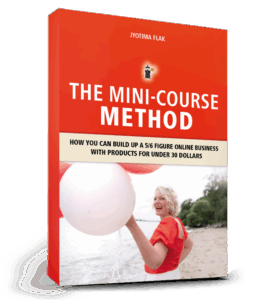
Small courses build trust fast and attract premium clients — without months of work. The Mini-Course Method is a repeatable, strategic approach to creating low-ticket mini courses that convert, nurture, and scale. In this long-form article, you’ll learn why mini courses, digital products, and low-ticket offers work, see real-life examples, and get an actionable strategy to use mini courses as the gateway to higher-ticket offers.
Why the Mini-Course Method works
The Mini-Course Method focuses on fast creation, immediate value delivery, and strategic funneling. Mini courses (aka small courses, low-ticket offers, digital products) are quick to produce, easy for your audience to buy, and powerful at building trust. This is especially true for coaches, therapists, and creators who need to demonstrate results before clients invest in premium programs.
Quick wins beat perfect products
When you create a mini course, your audience gets immediate results. That quick win builds confidence in your teaching and in you as a creator. A mini course is less about being comprehensive and more about delivering a clear, transformational result in a short time.
The common mistake: going big too soon
Many new creators assume they must launch a large signature program to be taken seriously. The result: months in production, technical overwhelm, and no proof of concept. With the Mini-Course Method, you validate your idea quickly, learn what sells, and iterate — all while generating income and building your audience.
Real-life examples: mini courses that attracted premium clients
Here are short case studies showing the Mini-Course Method in action:
Stress Management Coach – Created a $29 mini course “Calm Down in 10 Minutes.” Dozens signed up, and several participants purchased one-to-one coaching.
Anxiety Therapist – Launched a short audio mini course with guided exercises. Low price, high trust — several students upgraded to a $2,000 coaching package.
My results – I sold 10,000+ mini courses under €50 and generated €217,000 in revenue, plus additional income from upsells inside my evergreen funnels.
Speed of creation: Mini courses can be built in days, not months.
Low barrier to entry: A $29–$37 price point reduces friction and increases volume.
Immediate results: Participants get an ‘aha’ moment — that creates advocates.
Trust & social proof: Small course buyers become testimonials and case studies for higher-ticket offers.
How to design a mini course
Follow this simple structure to design a converting mini course:
Step 1 – Choose a single outcome
Pick one specific result your audience wants (e.g., “Create a journal in 3 hours,” “Reduce evening anxiety in 10 minutes”). Your mini course should promise and deliver that one outcome.
Step 2 – Break it into 3–5 micro-lessons
Each lesson should be practical and action-oriented. Micro-lessons keep production time low and ensure students see progress fast.
Step 3 – Deliver formats that fit your audience
Video, audio, PDFs, or a combination. Therapists may prefer audio exercises; coaches often use short video lessons and worksheets.
Step 4 – Add one clear next step (upsell)
At the end of the mini course, present a clear next step: a premium course, a group program, or one-to-one coaching. The mini course is the entry point for client acquisition and higher-ticket sales.
Pro tip: Use an email sequence after purchase to nurture students for 7–14 days – deliver extra value, show transformations, then invite them to your offer.
Marketing the mini course
Mini courses work best inside a simple funnel:
Ad or organic post → Landing page with strong value proposition → Mini course checkout
Post-purchase email sequence → Upsell to a higher-value offer
Optional webinar or workshop to convert buyers into higher-ticket clients
Because mini courses are low-ticket, you can afford paid traffic tests and fast iteration. Track conversions and tweak messaging until you find a winning angle.
Here are topic ideas that work well as mini courses for coaches and therapists:
“Create your first journal in 3 hours” (KDP / low content)
“5-minute anxiety relief audio exercises”
“Quick client intake template + first session plan”
“From idea to first sale: Your 7-step mini product checklist”
Measuring success
Core metrics to track:
Conversion rate on the mini-course landing page
Average order value (AOV)
Upsell conversion rate to premium offers
Return on ad spend (ROAS) for paid campaigns
Small wins compound: a reliable mini course with a consistent upsell will steadily grow revenue and client acquisition.
Common objections & how to answer them
“Will a mini course make me look cheap?” – No. With professional branding and clear outcomes, mini courses position you as practical and results-driven. The Mini-Course Method demonstrates proof of concept.
“Will people buy low-ticket and never upgrade?” – Some will, but many buyers value the low-risk entry and then upgrade when they see real results. A focused upsell strategy increases upgrades.
FAQ: Mini-Course Method
Q: What is the Mini-Course Method? A: A strategy to create low-ticket, high-value mini courses that attract clients, build trust, and feed higher-ticket offers.
Q: Do mini courses really attract premium clients? A: Yes. Small courses serve as a gateway: clients experience value first, then invest in premium programs.
Q: How much should a mini course cost? A: Typically $29–$37 works best for low-barrier entry, but you can adjust based on niche and audience.
Conclusion: Start small, scale strategically
If you’ve been waiting to build the perfect flagship course, stop waiting. The Mini-Course Method gets you visible fast, builds trust with real results, and becomes a reliable source of premium clients. Mini courses are the beginning of a strategic ladder toward higher-ticket offerings.
Ready to build your mini course and attract premium clients?
Get the exact blueprint I used to scale my business: The Mini-Course Method. Step-by-step instructions, templates, and the funnel strategy to create mini courses that sell and convert into high-ticket clients.
Do you dream of creating your own digital product but don’t know where to start? Maybe you’ve seen people sell eBooks, workbooks, or templates online and thought: I wish I could do that too.
The truth is: You absolutely can. And the best part? You don’t need expensive software, complicated tools, or even design skills. With Canva – even the free version – you can create your first eBook or workbook in just a few hours. Once it’s ready, you can start selling it online and build your first stream of passive income.
This blog & video will walk you step by step through the process: from choosing your topic to designing your eBook, exporting it, and finally selling it online.
Step 1: Choose Your Topic
Before you open Canva, it’s important to be clear about your topic. Ask yourself:
What do I know that others would love to learn?
What problems can I solve quickly and simply?
What would make someone’s life easier?
Some easy eBook ideas for beginners include:
A checklist or step-by-step guide
A short “how-to” manual
A motivational journal or workbook
A niche-specific resource (for example: fitness, mindset, business planning, or productivity)
Pro tip: Don’t overcomplicate it. Your first digital product doesn’t have to be perfect. Write down 3–5 possible topics and choose one that feels both simple and exciting to you.
Step 2: Create Your eBook in Canva
Now head to Canva.com. In the search bar, type “eBook” or “Workbook”. You’ll see dozens of templates to choose from. Even with the free plan, you can find plenty of professional designs.
Here’s how to make it yours:
Change the cover page: Upload your own image or choose one from Canva’s free library.
Adjust colors and fonts: Match your brand or simply pick colors that look clean and inviting.
Duplicate pages: Use the same style across multiple chapters or tips.
Add your content: Structure it into sections, for example “5 Tips to…” or “3 Steps to…”.
Keep it short! 8–12 pages is more than enough for your first product. Your goal is to deliver a quick win for your reader — not overwhelm them.
Optional: Add your website or Instagram handle in the footer of each page. This builds your brand and helps readers find you again later.
Step 3: Export Your eBook
Once you’re happy with the design:
Click Share → Download
Choose PDF Standard (great for online use) or PDF Print (if you want higher quality)
Save it to your computer
That’s it — you now officially have your first digital product!
Step 4: Sell Your eBook Online
Now comes the exciting part — making it available for purchase. There are many platforms where you can sell digital products without needing a complicated website:
Have you ever felt overwhelmed by the idea of selling your digital products online? Maybe you thought it would feel pushy or technically complicated. I completely understand – I’ve been there myself. When I started, I had zero tech skills, no big audience, and just 25 hours a week while homeschooling my daughter. And yet, I built a six-figure online business with a simple, heart-led strategy called the digital product ladder.
In this blog, I’ll walk you through everything: how to transform one core idea into a full suite of digital products that your audience will naturally want to buy, step by step, without feeling salesy, and how to automate the process so your business grows even when you’re busy living your life.
What is a Digital Product Ladder?
A digital product ladder is essentially a journey for your customer. Instead of expecting them to buy a high-ticket course immediately, you offer small, digestible products that create trust, provide real value, and naturally lead them to the next step.
Think of it like guiding a friend from curiosity to transformation. Imagine a busy mom discovers your Instagram. She’s stressed, overwhelmed, and unsure what she needs. She’s not ready for high-ticket coaching yet. But maybe a short guided audio or printable checklist helps her calm down and feel understood. This is the first rung of your ladder. As she experiences value, she’ll want more: a mini-product, a full course, and eventually premium coaching. That’s the magic of a well-planned digital product ladder.
Why a Product Ladder Works
The beauty of a digital product ladder is that it meets people where they are and gives them exactly what they need at the right time. Instead of pushing a large program onto someone who isn’t ready, you provide a series of smaller, highly useful products. Each step solves a problem, builds trust, and prepares the customer for the next offer.
This approach doesn’t just sell products – it builds relationships. Your audience learns to trust you, sees your expertise, and starts to naturally move up the ladder without feeling pressured. It’s a strategy that feels aligned, authentic, and supportive.
One Core Idea → Multiple Digital Products
Many creators think they need dozens of ideas to start an online business. But here’s the truth: you only need one big transformation and a clear vision of your audience’s journey. From that one idea, you can design multiple products at different price points.
For example, let’s say your topic is: “Helping overwhelmed moms find calm and presence in daily life.” You can break this transformation into a series of steps:
Step 1 – Freebie: “3-Minute Reset” – A short guided audio that helps busy moms calm down in stressful moments.
Step 2 – Mini Product (€17–27): “Moments of Peace” – A printable deck of mindful rituals, affirmations, and journaling prompts for everyday calm.
Step 3 – Core Course (€197–497): “The Mindful Mama Journey” – A 4-week self-paced program that teaches moms to integrate mindfulness into their routines.
Step 4 – Premium Offer (€997+): Group coaching or 1:1 mentoring to support habit integration, emotional balance, and nervous system regulation.
Notice how each step solves a specific problem while naturally preparing the client for the next. Your audience doesn’t feel sold to – they feel guided and supported, which creates loyal, long-term customers.
Pricing and Positioning Your Ladder
Pricing in a digital product ladder reflects the value of the transformation and the depth of support offered:
Quick relief solutions (audio, checklist, workbook) = low-priced, easy to say “yes” to
Self-paced courses = mid-ticket, for deeper learning
Personalized coaching or mentorship = premium, for full transformation
For example, you can say: “This toolkit gives you immediate wins for your everyday calm. If you want to go deeper, my full course guides you through a complete transformation.” This invites people, rather than pressures them – which is exactly how a product ladder should feel.
Step-by-Step: Building Your First Ladder
Here’s a simple 4-step method to build your first digital product ladder:
Identify a problem your audience faces: What’s frustrating, overwhelming, or challenging for them right now?
Create a small solution: Use Canva or any simple design tool to build your mini product. It doesn’t need to be perfect, just helpful.
Set up a sales platform: Platforms like Gumroad or Payhip handle payments and automatic delivery for you.
Promote and automate: Share links via Instagram, Pinterest, TikTok, or email. Offer a small incentive for early buyers. Set up email sequences that automatically guide your customers through your ladder.
Automating Your Product Ladder
Automation is what turns a digital product ladder from a one-time effort into a sustainable system. For instance:
Someone downloads your free audio
Three days later, they’re offered your mini product
After completing it, they’re invited to your full course
Finally, they receive a premium coaching offer
With tools like ConvertKit, Systeme.io, or MailerLite, you can automate this process completely. Your products are sold while you spend time with your family, create new content, or simply relax. Automation doesn’t replace human connection; it enhances it by giving your audience consistent, meaningful support.
My Personal Story
When I started, I lived in the jungle in Brazil – no stable internet, no budget for fancy tools, and a toddler to homeschool. I created my first digital workbook using Canva, uploaded it, and shared it in a single Instagram post. Within 24 hours, I had my first sale. That moment taught me that you don’t need to be a tech expert or have a huge following to sell digital products successfully.
Since then, I’ve helped hundreds of creators build their own digital product ladders. Many began with a single idea and ended up with a fully aligned, scalable product suite that consistently sells – without big launches or expensive tools. All it took was clarity, empathy, and a simple, step-by-step strategy.
Why You Should Start Your Own Digital Product Ladder
Here’s why creating a digital product ladder is a game-changer:
Start earning revenue immediately with small, approachable products
Build trust and authority with your audience before offering higher-ticket items
Create a customer journey that feels supportive and aligned, not pushy
Scale your business while automating most of the process
Next Steps
If you’re ready to start your own digital product ladder, here’s how to get going:
Sign up for my freebie launching next week: 10 Digital Product Ideas You Can Create in a Weekend – perfect for inspiration and your first step.
To provide the best experiences, we use technologies like cookies to store and/or access device information. Consenting to these technologies will allow us to process data such as browsing behaviour or unique IDs on this site. Not consenting or withdrawing consent, may adversely affect certain features and functions.
Functional
Always active
The technical storage or access is strictly necessary for the legitimate purpose of enabling the use of a specific service explicitly requested by the subscriber or user, or for the sole purpose of carrying out the transmission of a communication over an electronic communications network.
Preferences
The technical storage or access is necessary for the legitimate purpose of storing preferences that are not requested by the subscriber or user.
Statistics
The technical storage or access that is used exclusively for statistical purposes.The technical storage or access that is used exclusively for anonymous statistical purposes. Without a subpoena, voluntary compliance on the part of your Internet Service Provider, or additional records from a third party, information stored or retrieved for this purpose alone cannot usually be used to identify you.
Marketing
The technical storage or access is required to create user profiles to send advertising, or to track the user on a website or across several websites for similar marketing purposes.